amoxide: composable, context-aware shell aliases
I have about 40 aliases. Half of them only make sense in specific projects. The other half clash with each other depending on what I'm working on. And all of them live in my dotfiles, loaded into every shell session whether I need them or not.
At some point I stopped adding new aliases because the cleanup cost was too high. That's when I knew the model was broken — aliases shouldn't be global-only. They should travel with the context they belong to.
So I built amoxide — a shell alias manager that loads the right aliases in the right place. Think direnv, but for aliases.
# How I got here
This didn't start with amoxide. It started years ago, the way it starts for everyone — a few aliases in .bashrc, then a few more, then suddenly dozens scattered across dotfiles with no structure.
When simple aliases weren't enough, I moved to shell functions. Functions were more powerful, but now I had aliases and functions to manage, still all global, still all loaded everywhere. The mess just got more capable.
What I really wanted was to package related shortcuts into small, sharable units — like a "rust" pack or a "git" pack — with a lightweight installer CLI. And ideally, shell-agnostic. I didn't want to be locked into one shell's ecosystem.
That's when I looked at oh-my-zsh. On paper it solves a similar problem: plugins that bundle shell enhancements. In practice, it drove me nuts. Each plugin dumps a pile of aliases into your shell and you get zero fine-grained control. You can't easily list what aliases come from where, you can't see what they do at a glance, and you can't selectively disable individual aliases from a plugin you otherwise want. It's all-or-nothing, and "all" means your shell is polluted with shortcuts you never asked for and will never use.
I wanted the opposite: explicit, composable, context-aware aliases that I fully control. So I built amoxide.
# From aliases to profiles
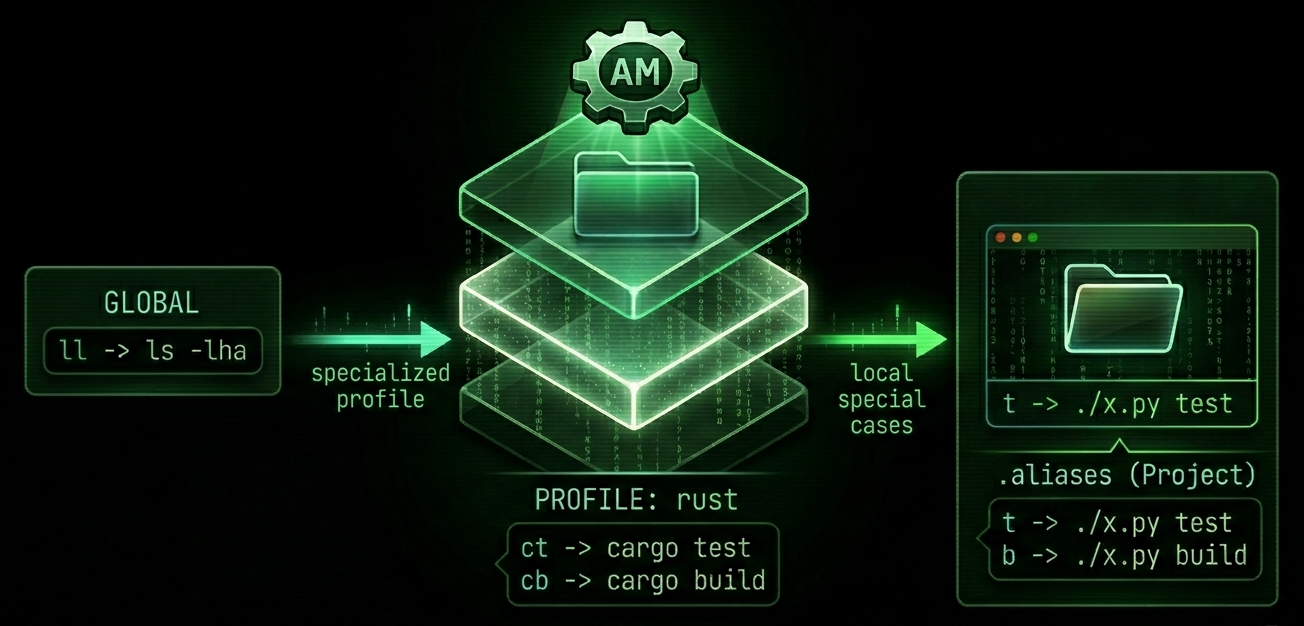
It starts simple. You're in a Rust project, tired of typing cargo clippy --all-targets --all-features -- -D warning for the hundredth time. So you add a local alias:
am add -l l cargo clippy --all-targets --all-features -- -D warning
am add -l t cargo test
This creates a .aliases file in your project root. cd in — aliases load. cd out — they're gone. No pollution, no stale shortcuts that haunt every shell.
After a while you notice t and l are the same across all your Rust projects. Time to extract them into a profile — a named collection of aliases:
am profile add rust
am add -p rust t cargo test
am add -p rust l cargo clippy --all-targets --all-features -- -D warning
am profile use rust
Now every shell gets your Rust aliases. The project .aliases keeps only what's truly project-specific — like i for cargo install --path crates/am.
Then you want git shortcuts too. Just stack another profile:
am profile add git
am add -p git gm "git commit -S --signoff -m"
am profile use git
Both profiles active at the same time. If they conflict on an alias name, the last-activated one wins. Clean layering, no surprises.
The progression is natural: project-local -> profile -> multiple profiles. You don't need to plan upfront. Start lazy, refactor when patterns emerge.
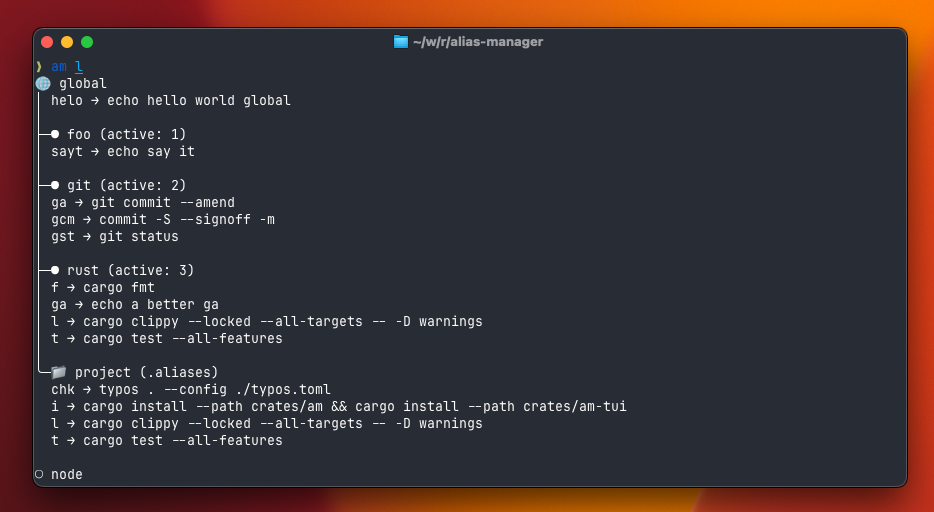
Here's what am l looks like in practice — global aliases, active profiles with their priority, and project-local overrides, all in one view. You always know what's loaded and where it comes from.
# What else
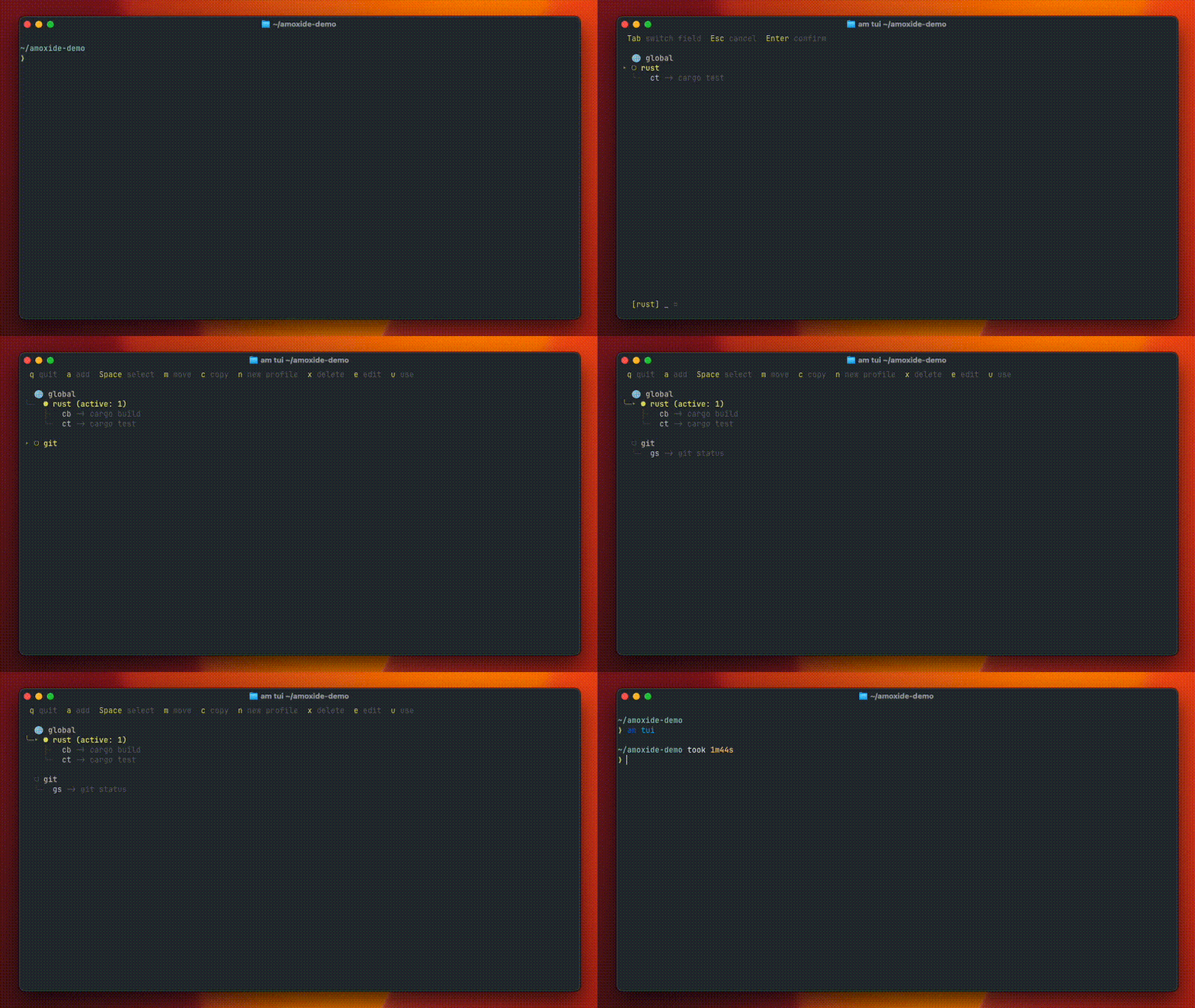
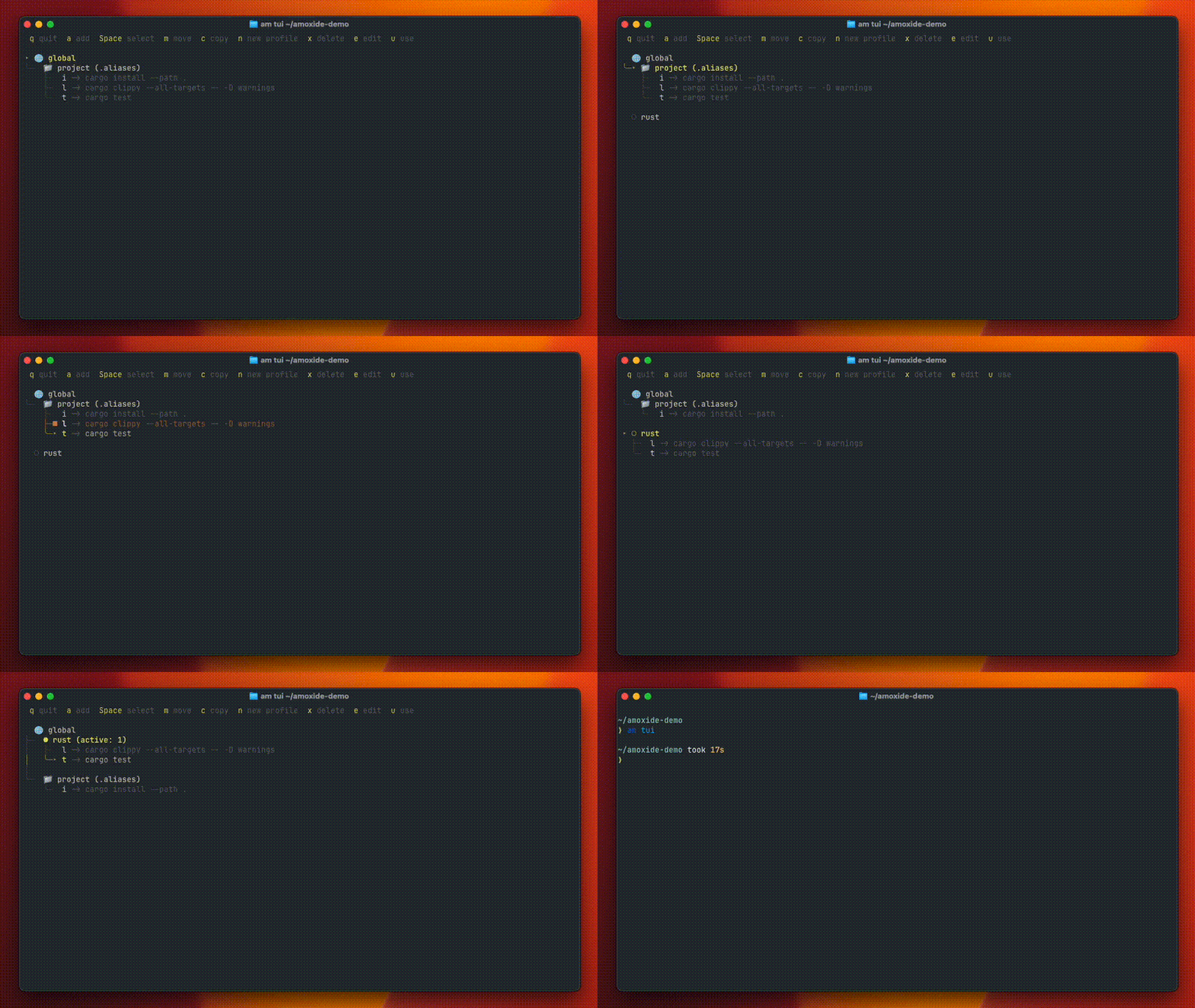
- A TUI (
am-tui) for visual management — browse, move, copy, add, edit, and delete aliases across profiles and projects interactively
- Parameterized aliases — template syntax like
am add -p git cmf "git commit -m 'feat: {{@}}'", then justcmf my feature - Multiple active profiles — stack
rust+git+docker, later profiles override earlier ones on conflicts - Shell support — Fish, Zsh, PowerShell, and Bash (3.2+)
# Sharing is caring
Aliases are personal, but the patterns behind them aren't. The git workflow I use daily would save someone else the same 30 minutes of setup. So amoxide now supports import, export, and a community showcase.
Export your profiles to a portable TOML format:
am export -p rust -p gitImport from a URL or file:
am import https://example.com/aliases.tomlImport is interactive — it shows you what's new, flags conflicts, and lets you decide what to keep. It also scans for suspicious content before applying anything.
For quick sharing, there's am share which outputs a share command ready to pipe to a shell:
am share -p rust --paste-rs
# outputs
am export -p rust --b64 | curl -d @- https://paste.rs/

# pipe it straigt to sh
am share -p rust --paste-rs | sh
# outputs the pastebin url
# The community showcase
To make sharing more discoverable, there's now a community showcase — a gallery of curated alias profiles contributed via pull requests.
Anyone can contribute: export your profile, add a README with some metadata, open a PR. CI validates the format, maintainers review for quality, and after merge it shows up in the gallery — searchable by tags, filterable by category.
From there, importing a community profile is one command:
am import https://raw.githubusercontent.com/sassman/amoxide-rs/main/community/sassman-rust-essentials/profiles.tomlThe goal is a growing library of battle-tested alias sets. Rust essentials, git workflows, Docker shortcuts, k8s helpers — whatever people actually use day-to-day, packaged up and ready to go.
# What's next
- Nushell support — the last major shell on the radar
- More community profiles — seeding the showcase with useful starting points
# Try it
cargo install amoxide amoxide-tui

# or homebrew
brew install sassman/tap/amoxide sassman/tap/amoxide-tui
GitHub: sassman/amoxide-rs Showcase: amoxide.rs/showcase
If you've got a set of aliases that save you time every day, consider sharing them. And if you use a shell that's not yet supported — especially Nushell — I'd love to hear what you need. Open an issue or just say hi.